Free spreadsheet
Business Budget & Actuals Template
Plan twelve months of revenue and costs, record what actually happened on a separate sheet, and see the differences line by line — explained in plain words, and only for the months you have completed.
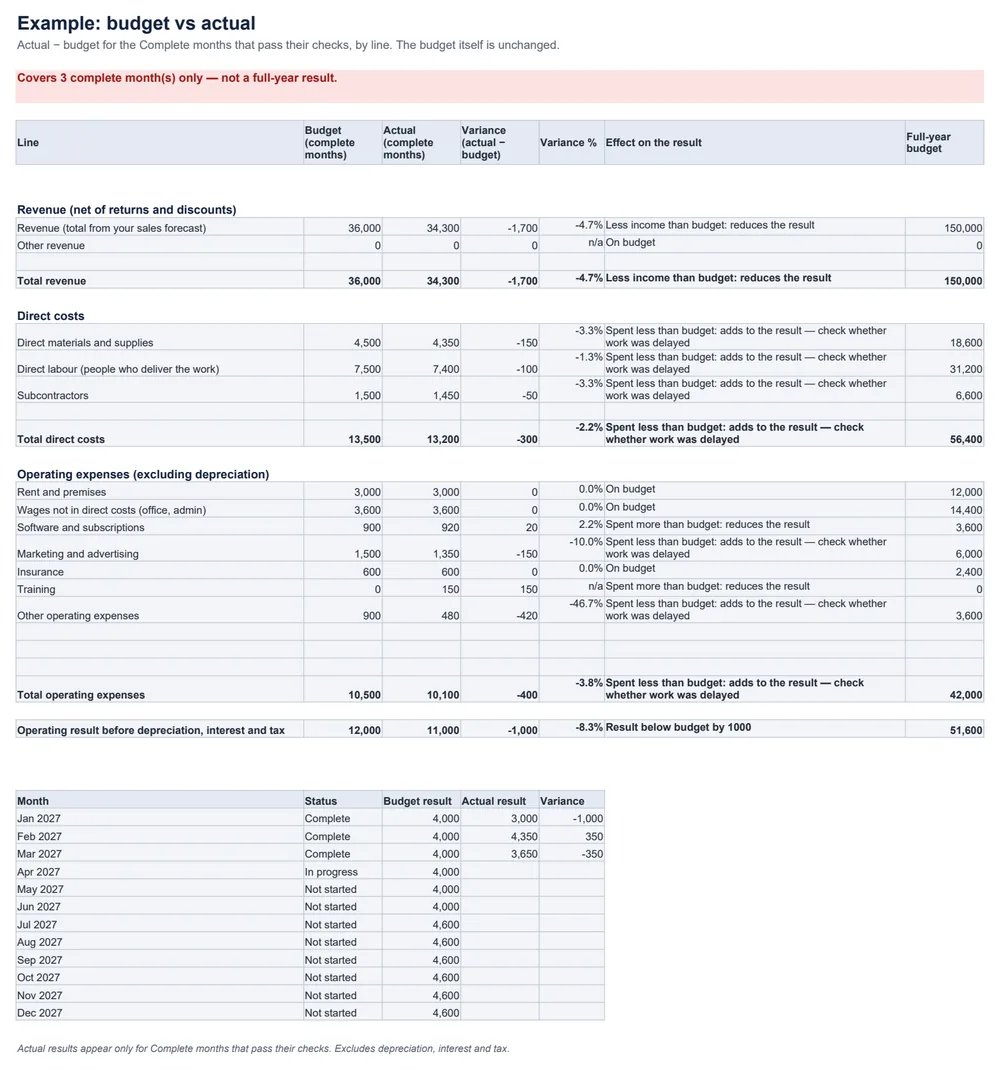
Am I on budget — and what is driving the difference?
The worked example
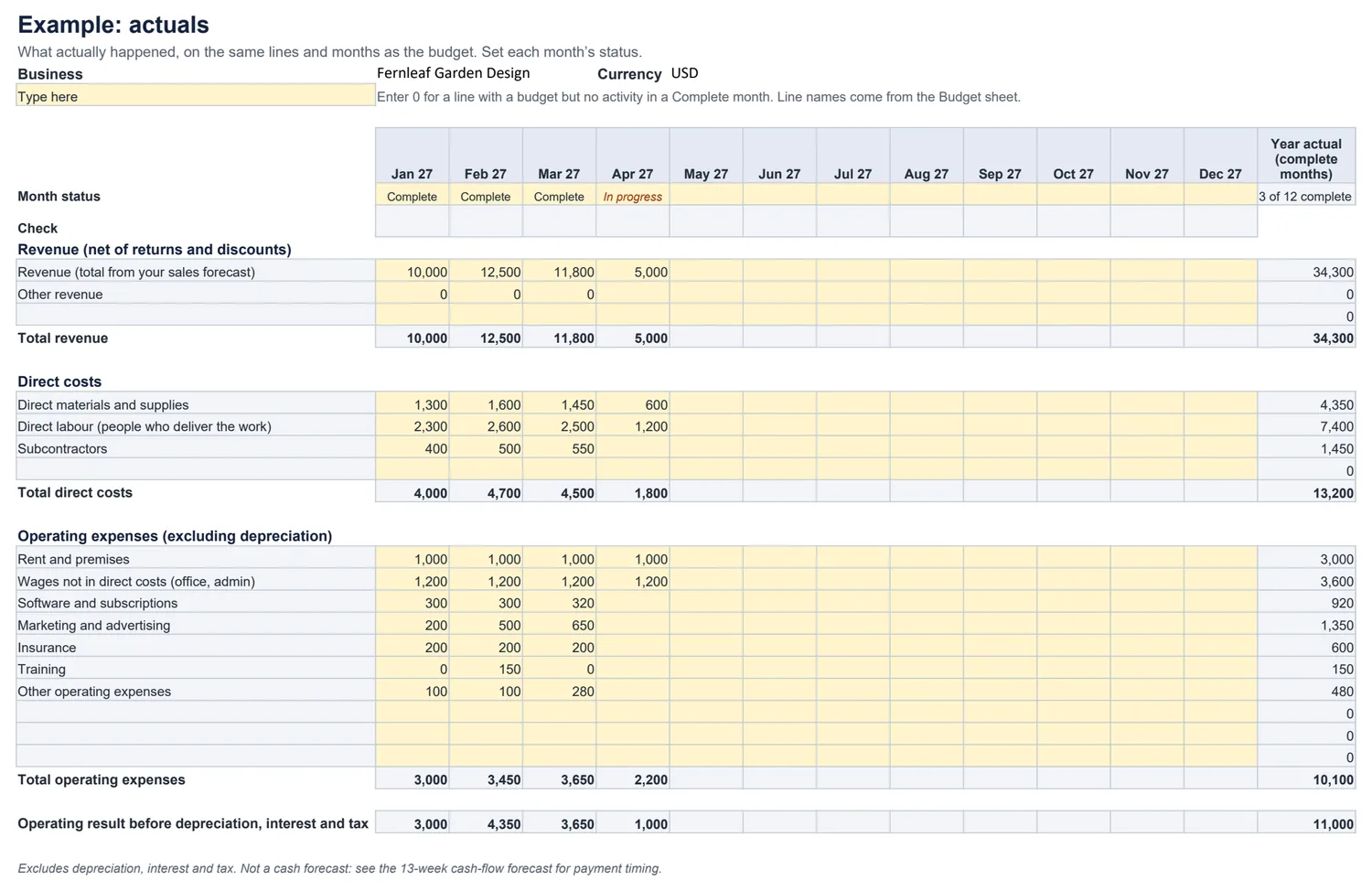
January’s budget: revenue 12,000 − direct costs 4,500 − operating expenses 3,500 = 4,000. Actual: 10,000 − 4,000 − 3,000 = 3,000. The result is 1,000 below budget: income was 2,000 lower, partly offset by 1,000 less spending — some of it marketing that was delayed rather than saved.
Related planning
- Build revenue product by product in the monthly sales forecast.
- Plan payment timing in the 13-week cash-flow forecast.
- Record the full results, including depreciation and interest, in the profit and loss statement.
Common questions
What does the result include?
Revenue minus direct costs minus operating expenses: the operating result before depreciation, interest and tax. It is not profit after every cost, and not cash. The definitions match the profit and loss statement.
Is spending less than budget good?
Not necessarily. It adds to the result, but it can mean work, hiring or marketing was delayed. The Variance sheet says “check whether work was delayed” instead of colouring it green, and income and cost variances are described in words.
What if I have only finished a few months?
Only months marked Complete that pass their checks are compared, and the Variance sheet says how many — “Covers 3 complete month(s) only — not a full-year result”. The full-year budget is shown separately for reference.
What is the difference between a blank and a zero?
In a Complete month, a line that has a budget needs an actual: enter 0 if nothing was spent or earned. A blank there is flagged, because it may simply not have been entered yet.
Can I add my own categories?
Yes. Type a name in a blank line on the Budget sheet and it appears on Actuals and Variance automatically. For more lines, the Start here sheet explains how to insert a row on all three sheets; we tested that method in LibreOffice.
Where do detailed sales assumptions go?
In the monthly sales forecast, product by product. Enter its revenue total here. For when cash actually arrives and leaves, use the 13-week cash-flow forecast.