Free calculator
Time Card Calculator
Enter a week’s blocks of time — start and end dates and times, unpaid breaks, and optionally the job and whether it is billable — and get worked hours per day and for the week. Mistakes like overlapping entries are flagged instead of counted. For several people or jobs, download the timesheet below.
How many hours did I work this week?
One row per block of time. Several blocks in a day are separate rows. For a shift past midnight, set the end date to the next day.
- Entry 1
- Entry 2
Updates as you type. Nothing is saved or sent.
Result
Enter your times
Keep in mind
- Worked hours = end − start − unpaid break, using clock times. Across a daylight-saving change the real time differs by an hour: adjust that entry by hand.
- Overlapping or duplicate entries, missing times, an end before the start, or a break as long as the entry are not counted, so they cannot inflate the total.
- This adds up hours only. It does not calculate pay, overtime, breaks you are entitled to, or tax.
How it works
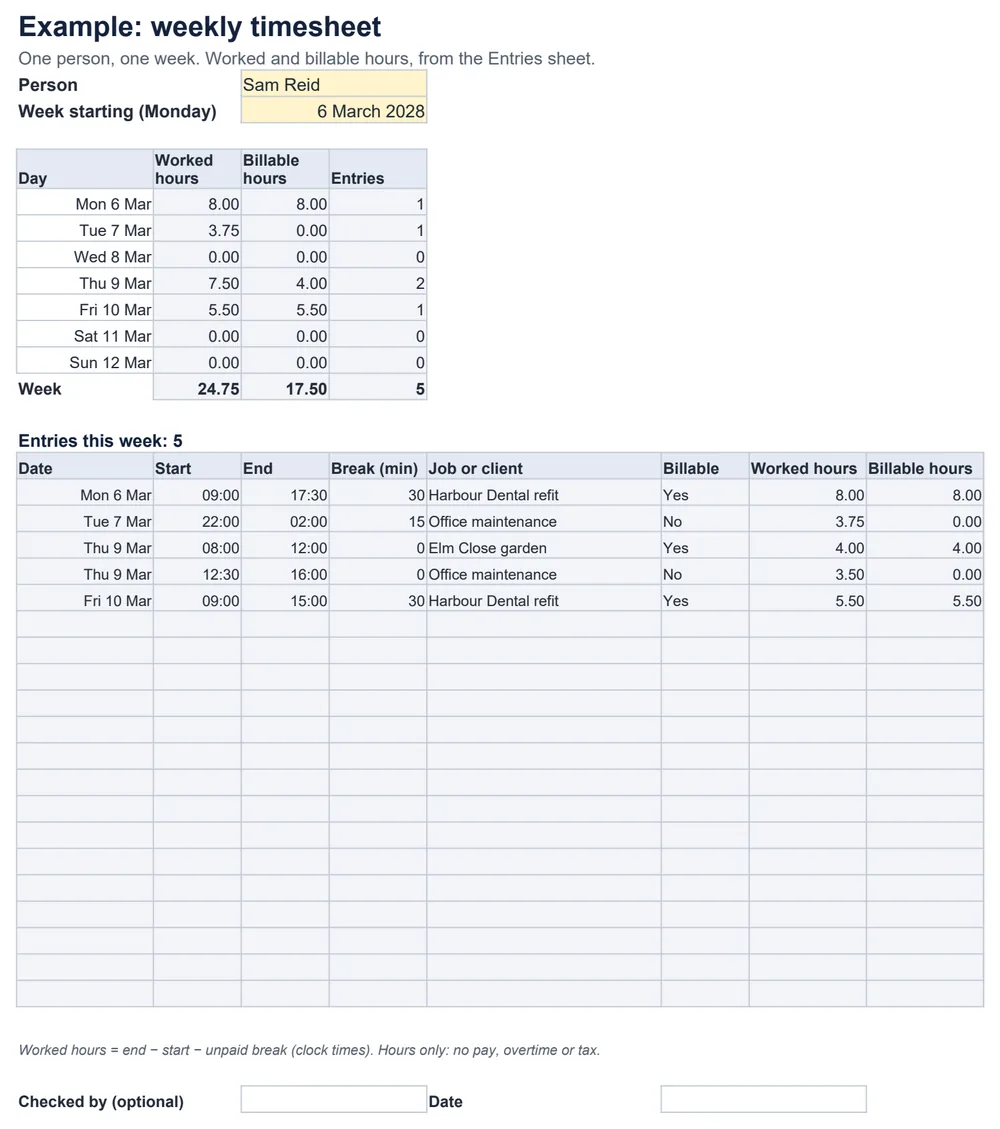
Worked hours = end − start − unpaid breakDay total = all entries that start on that dayBillable hours = worked hours of entries marked billableExample: 09:00–17:30 with a 30-minute unpaid break is 8 hours; 22:00 to 02:00 the next day with 15 minutes unpaid is 3.75 hours. Total: 11.75 hours.
Tracking several people or jobs?
Common questions
How do I enter a shift that goes past midnight?
Give it an end date: for 22:00 to 02:00, the end date is the next day. Without it, the end looks earlier than the start and the entry is flagged instead of counted.
What does it do with mistakes?
Missing times, an end before the start, a break as long as the entry, and entries that overlap or duplicate each other are flagged and left out of the total — so a mistake can never inflate the hours. Back-to-back entries, such as 08:00–12:00 then 12:00–13:30, are fine.
What about daylight-saving changes?
The calculator uses clock times: 00:00 to 04:00 counts as 4 hours even on the night the clocks change, when the real time is an hour more or less. Adjust that entry by hand. It does not measure time across time zones.
Does it work out pay or overtime?
No. It adds up worked and billable hours only — no pay, overtime, break entitlements or tax.
Is anything saved or sent?
No. The calculator runs in your browser and keeps nothing after you close the page; there is no account. For a record you can keep, copy or print the summary, or use the spreadsheet.
Which spreadsheet apps does the timesheet work in?
It is a standard .xlsx file with no macros. We checked it in LibreOffice Calc, including duplicates, overlaps, overnight entries and adding rows as instructed. It has not been tested in Excel, Google Sheets or Numbers.