Free spreadsheet
Business Bills & Renewal Calendar
Keep every regular business payment in one list — rent, software, insurance, leases, subscriptions — and see what is due next, which contracts renew soon and which cancellation deadlines are coming up, before they pass.
What is due, renewing or needing a decision soon?
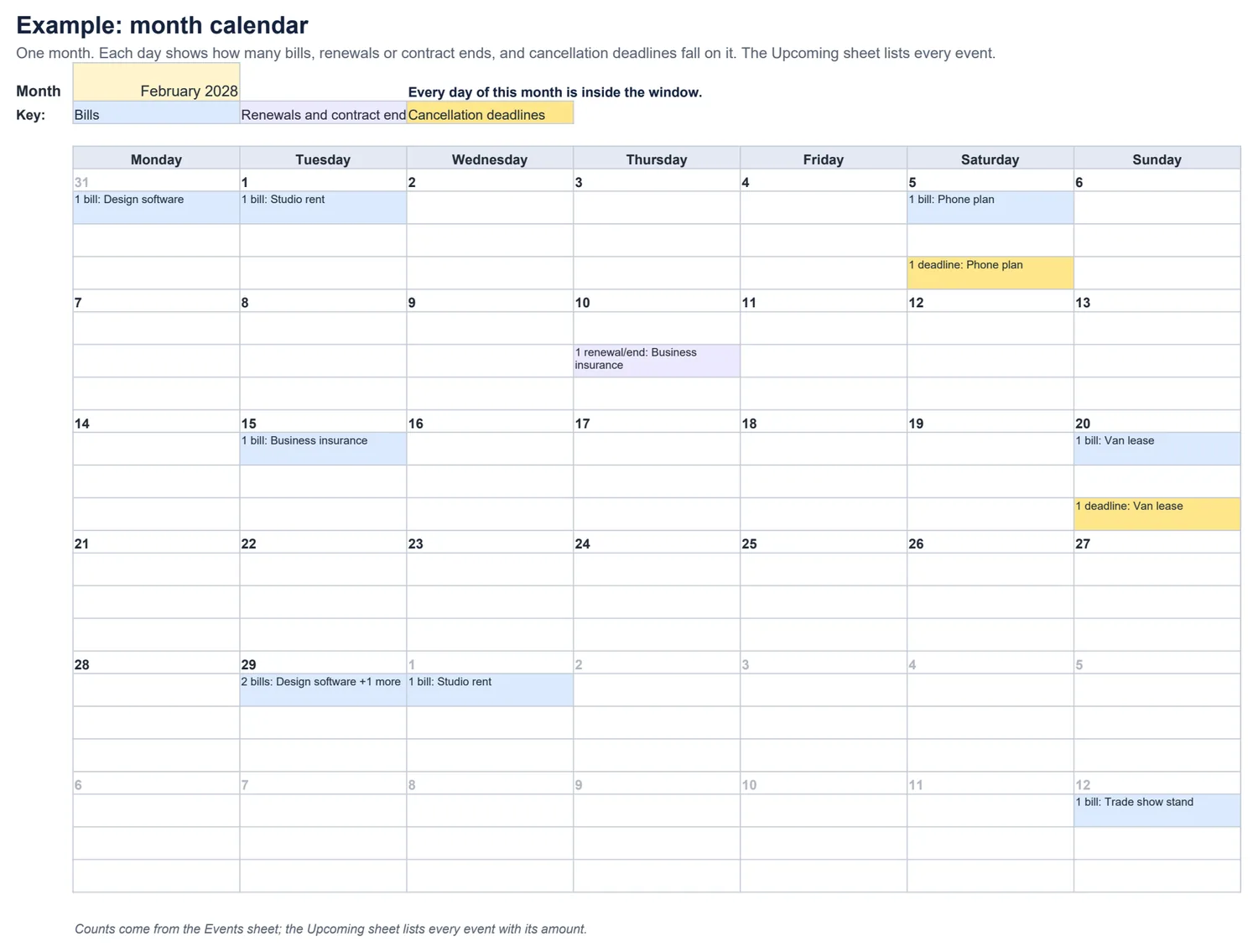
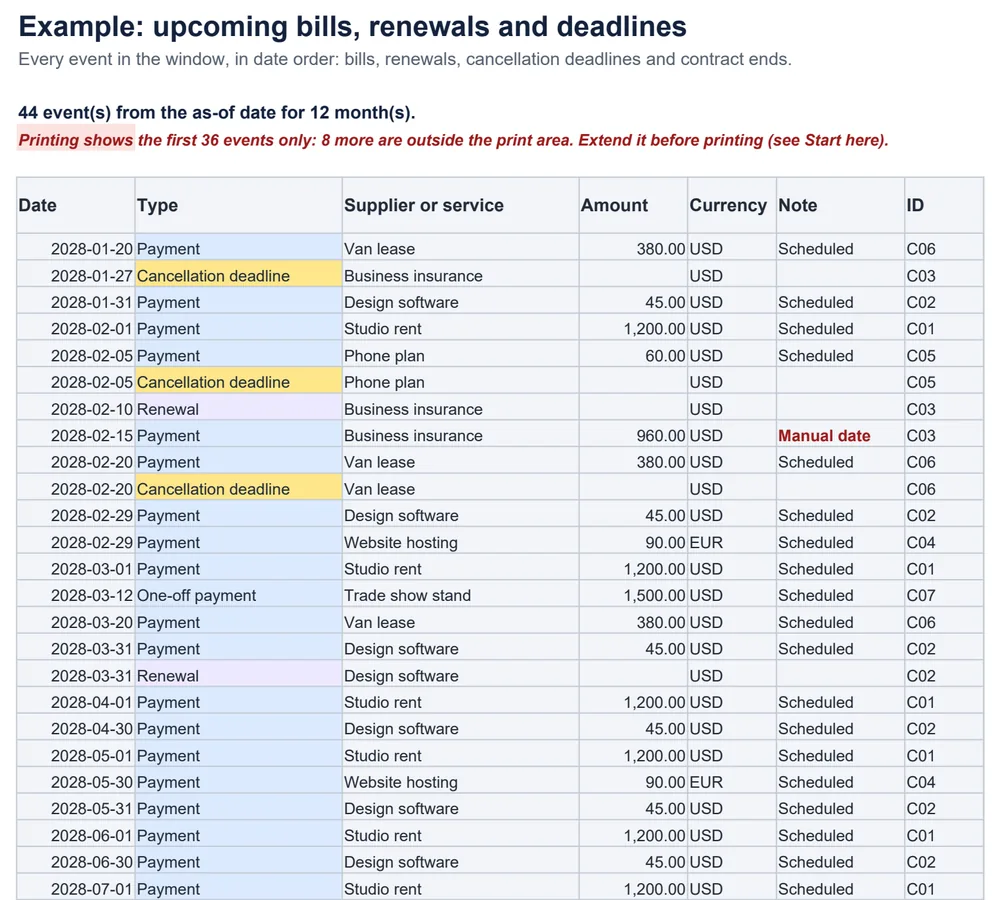
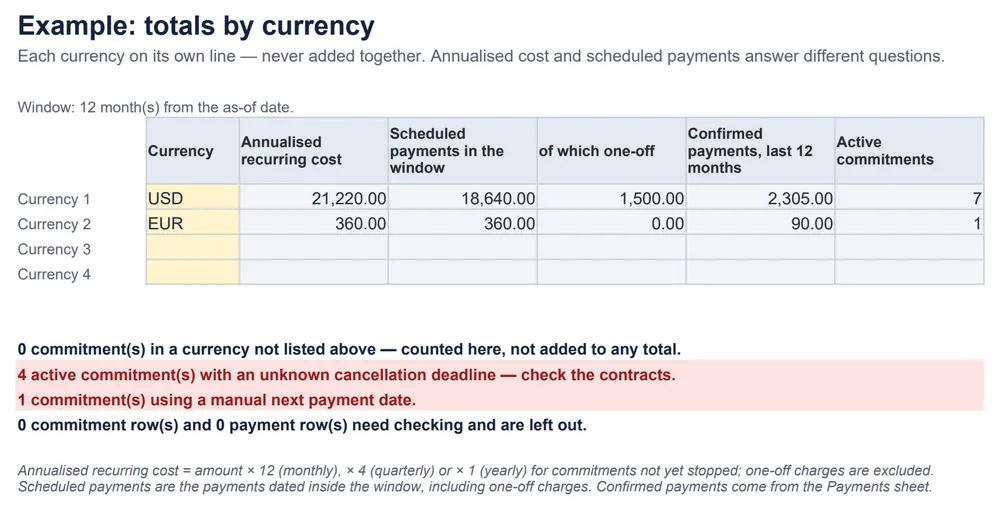
Built so nothing slips quietly
- A blank cancellation deadline shows as “Unknown”, and the totals count how many active commitments have one.
- The month calendar names the first item on each day and says “+N more”; the Upcoming list always shows every event.
- Confirmed payments are recorded separately and never change a schedule, renewal or cancellation.
Common questions
How are payment dates worked out?
Each payment is counted from the first (anchor) payment date — monthly, quarterly or yearly. A bill on the 31st falls on the last day of shorter months and returns to the 31st afterwards: 31 January, 29 February in a leap year, 31 March. One-off charges appear once.
What if a supplier moves one payment?
Type the new date in “Next payment (manual)”. It replaces the next calculated payment only, later payments follow the original schedule, and the row and the Upcoming list both say “Manual date” so it stays visible.
What happens when I cancel something?
Set the status to Cancellation requested, Ending, Cancelled or Ended and enter the effective date. No payment is scheduled on or after that date. The workbook does not cancel anything for you, and recording a payment never counts as renewing or cancelling.
Why are totals shown per currency?
Because amounts in different currencies cannot simply be added. Enter the currencies you use on the Totals sheet; anything in another currency is counted and listed, never added to a total.
What is the difference between annualised cost and scheduled payments?
Annualised cost is what the recurring commitments cost over a year (monthly × 12, quarterly × 4, yearly × 1) — one-off charges are left out. Scheduled payments are the payments dated inside the window you chose, including one-off charges. They answer different questions, so they are shown side by side.
Does it send reminders or connect to my calendar?
No. It is a spreadsheet: no reminders, emails, automatic payments or calendar integration. It is a standard .xlsx file with no macros, checked in LibreOffice Calc — including leap years, year ends, cancellations and a third currency. It has not been tested in Excel, Google Sheets or Numbers.