Free spreadsheet
Business Mileage Log
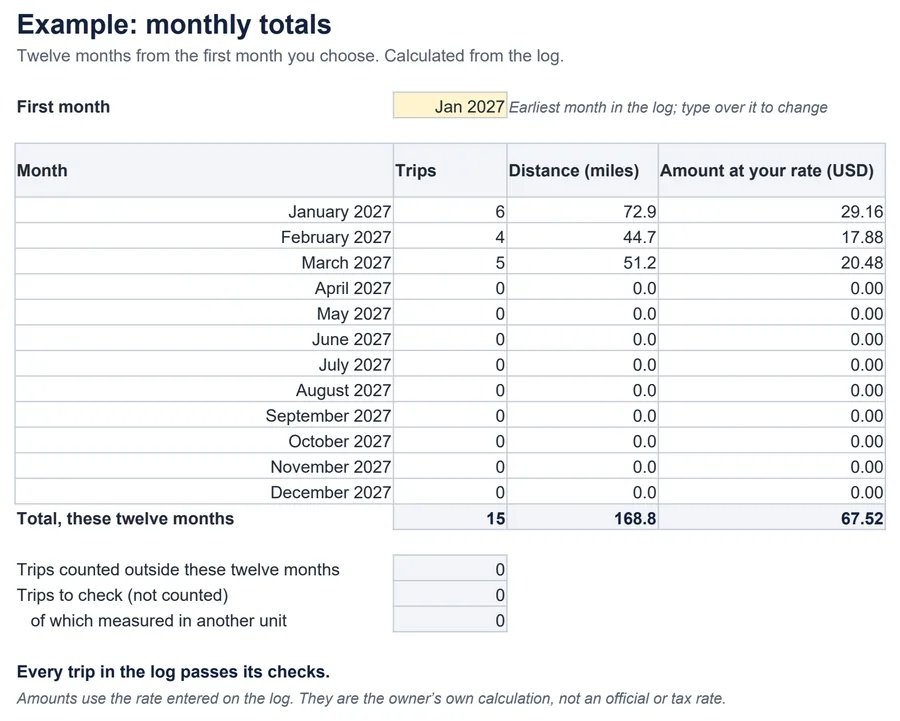
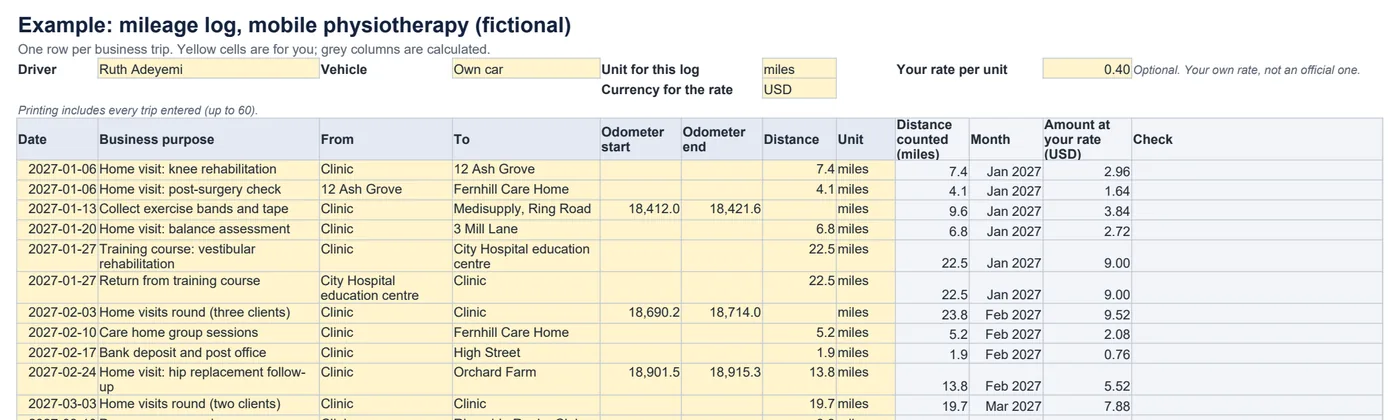
Keep a simple, tidy record of business trips. Log the date, purpose, start and end of each trip and the distance or odometer readings, and the workbook totals each month — with an amount at your own rate if you want one.
How far did I drive for the business this month?
How the distance is counted
With both odometer readings: distance = end − startOtherwise: the distance you enteredAmount at your rate = distance × your rate (optional)- An end reading below the start, a single reading, or a distance that disagrees with the readings is flagged and not counted.
- Trips measured in a different unit from the log are flagged, never converted or relabelled.
- Monthly totals list how many trips need checking, so a total is never quietly incomplete.
What it does not do
- It does not track trips automatically or work out routes.
- It does not supply official mileage or tax rates, or decide what you can claim.
- To claim other expenses, use the expense reimbursement claim.
Common questions
What happens if I switch the log from miles to km?
Nothing is relabelled. Every trip records the unit it was measured in, so trips in miles are flagged as not matching a km log and are left out of the totals until you convert them or keep a separate log.
Do I need odometer readings?
No. Enter either the distance or both readings. When you enter both readings the distance is worked out from them; if you also type a distance, it must agree, so a trip is never counted twice.
Does it use official mileage rates?
No. The rate is one you enter, for example what your business pays back per mile, and the amounts are labelled as your own calculation. It does not supply tax rates or make a log compliant with any tax rules.
Which spreadsheet apps does it work in?
It is a standard .xlsx file with ordinary formulas and no macros. We checked the example and edits such as unit changes, bad odometer readings and extra trips in LibreOffice Calc. It has not been tested in Excel, Google Sheets or Numbers.