Free spreadsheet
Expense Reimbursement Claim
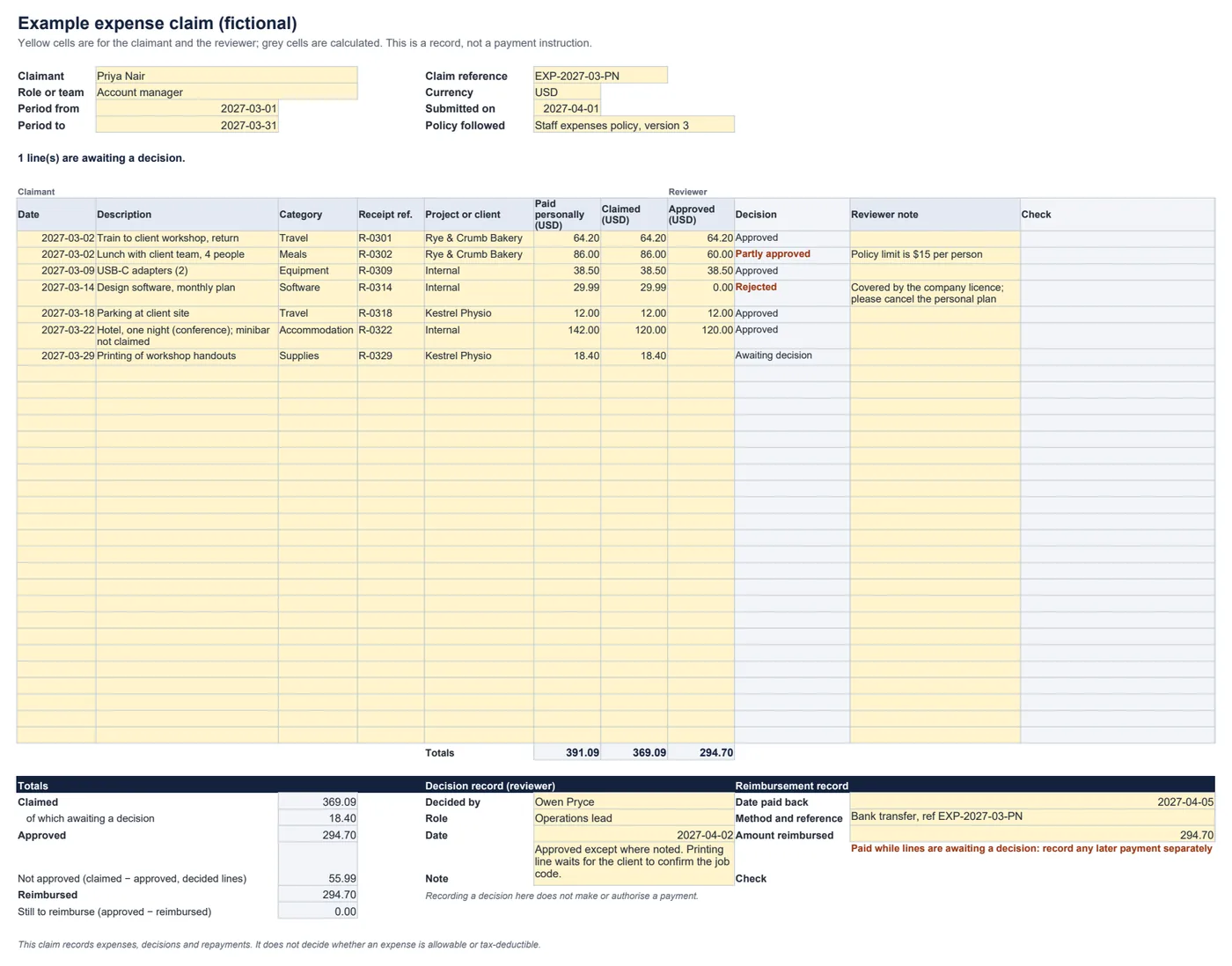
A clear, printable way to claim back business expenses paid personally. The claimant lists each expense, the reviewer records what is approved and why, and the form keeps claimed, approved and reimbursed amounts apart so nothing gets lost.
What was claimed, what was approved, and what has been paid back?
How a claim works
- Claimant: one line per expense, with the receipt reference and the project or client. Claimed can be less than paid, for example when part of a bill was personal.
- Reviewer: enter the approved amount on each line. Leave it blank while undecided, enter less than claimed with a note to reduce it, or 0 with a note to reject it.
- Repayment: once paid through your usual process, record the date, amount and reference. The form shows anything still to reimburse.
What it flags
- Claimed more than paid, or approved more than claimed.
- Dates outside the claim period, missing receipt references, and reduced or rejected lines without a note.
- A reimbursement larger than the approved total. Flagged lines are left out of the totals and the banner says so.
Common questions
What happens to the claimed amount when a line is reduced or rejected?
It stays. Each line keeps what was paid personally, what was claimed and what was approved, so a partly approved or rejected line still shows the original claim. A reduced or rejected line needs a reviewer note.
Does approving the claim here pay the claimant?
No. The decision record and the reimbursement record are records only. Pay through your usual process, then enter the date, amount and reference.
Does it tell me whether an expense is tax-deductible?
No. It records what was spent, claimed, approved and repaid. Whether an expense is allowable or deductible depends on your policy and the rules where you are.
Which spreadsheet apps does it work in?
It is a standard .xlsx file with ordinary formulas and no macros. We checked the example and edits such as over-claims, missing receipts and over-payments in LibreOffice Calc. It has not been tested in Excel, Google Sheets or Numbers.