Skip to content

Free spreadsheet

Equipment Maintenance & Loan Pack

Know what equipment you have, when each item is due for maintenance, which faults are still open, and what you have spent on repairs and servicing. When you lend equipment, record what went out and what came back — including anything missing.

Free download · No account needed

Which equipment is overdue for maintenance or still faulty?

Enlarge preview: Example summary
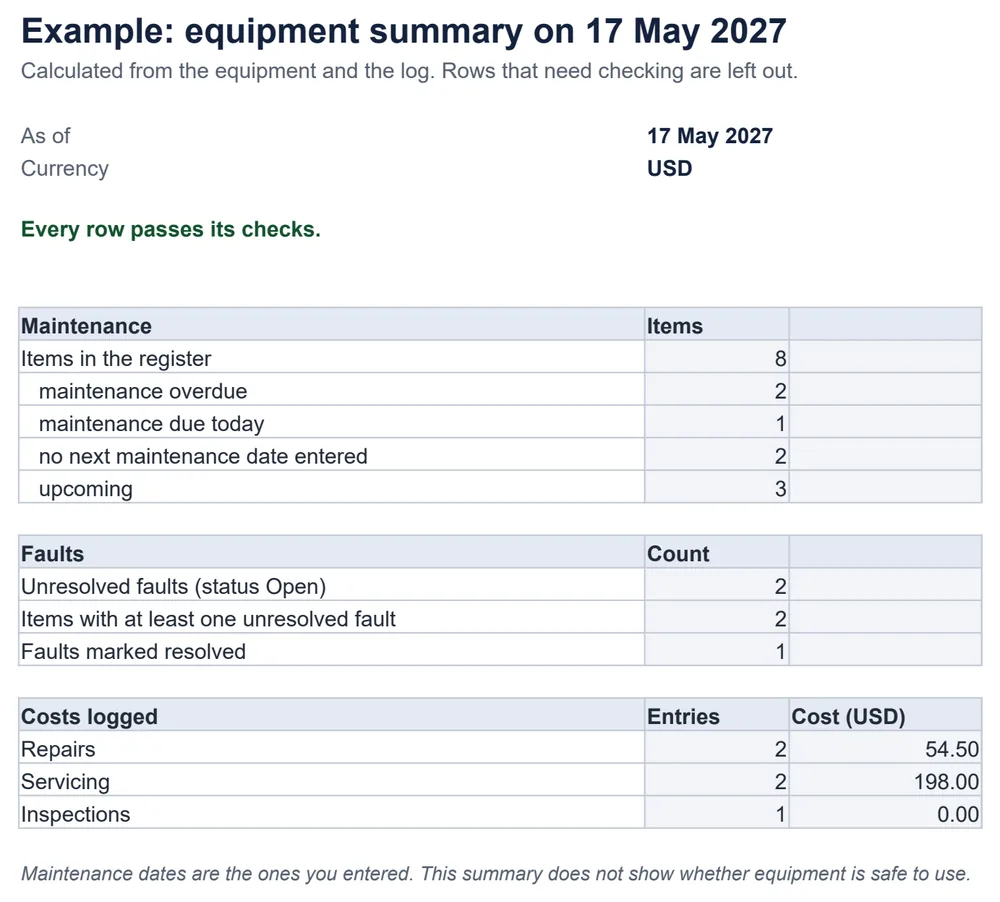
The example summary: 8 items, 2 with overdue maintenance, 1 due today, 2 with no date entered; 2 unresolved faults; repairs 54.50 and servicing 198.00 kept separate.
The Example summary.

Lending equipment?

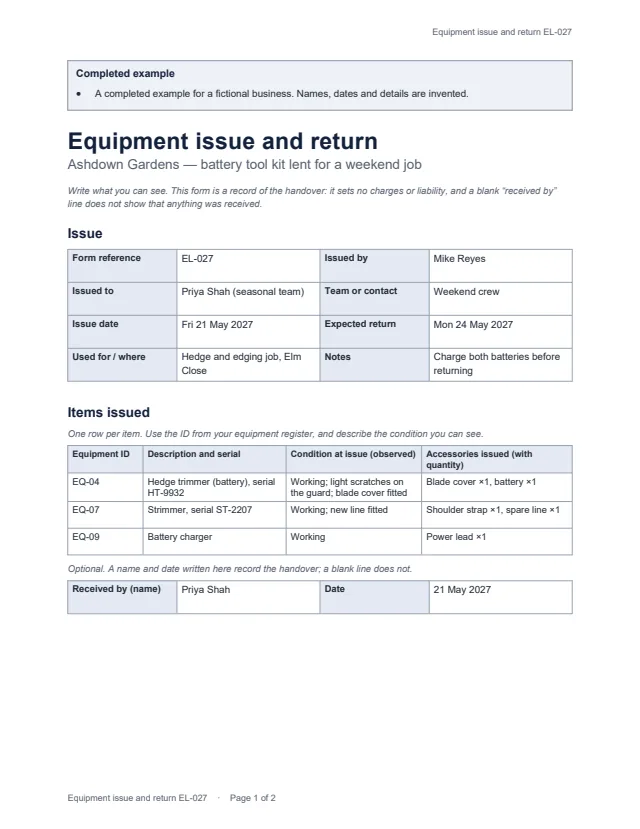
First page of the example issue-and-return form for a battery tool kit lent for a weekend job Enlarge preview: Equipment issue and return form

Equipment issue and return form

Fill it in when equipment is lent to a team member or customer, and again when it comes back.

Who it was issued to and by, issue and expected return dates, each item’s ID, serial, observed condition and accessories; then the return date, whether the return is complete or partial, condition on return, and anything still outstanding with a follow-up owner.

Blank, for printing and an example · Word and PDF

Get the equipment issue and return form

Choose a version and a format. After the first download, the others need no new form.

Version
Format

You will get equipment-issue-return-blank.docx

Word files open in Microsoft Word, Google Docs, Apple Pages and LibreOffice; we checked them in LibreOffice. US Letter portrait with room to write by hand; change the paper size for A4. The example uses an invented business and people.

What this pack is not

  • It is a record, not a safety system. It does not know service intervals, inspection requirements or whether equipment is safe to use.
  • The loan form has no charges, liability clauses or signature system; a partial return is recorded as partial, with what is still outstanding.

Common questions

Does the workbook work out when maintenance is due?

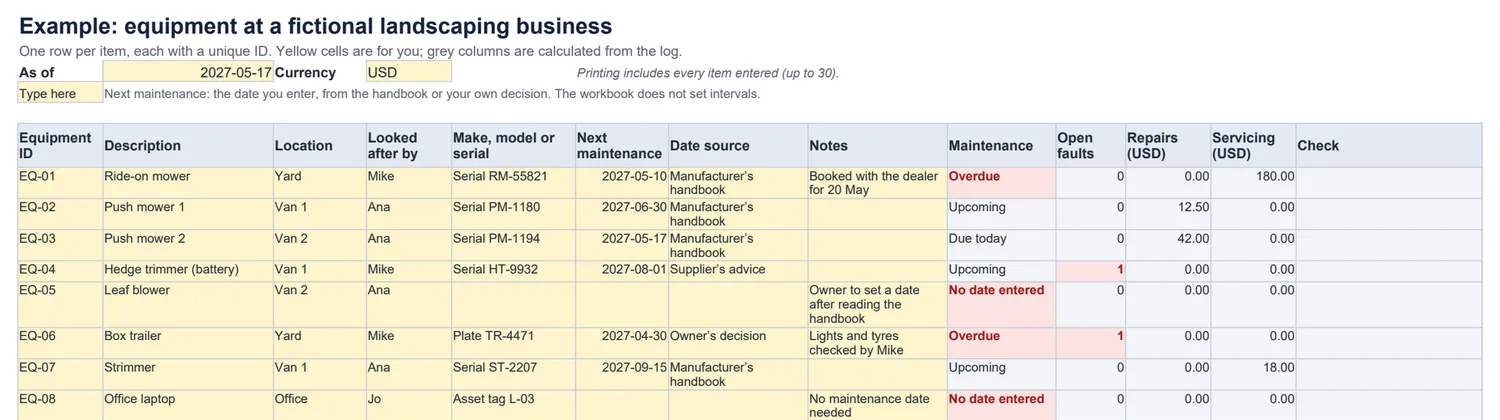
No. You enter the next maintenance date from the manufacturer’s handbook, your supplier or your own decision, and note where it came from. The workbook compares it with the as-of date. A blank date shows as “No date entered”, never as up to date.

How are repairs kept apart from servicing?

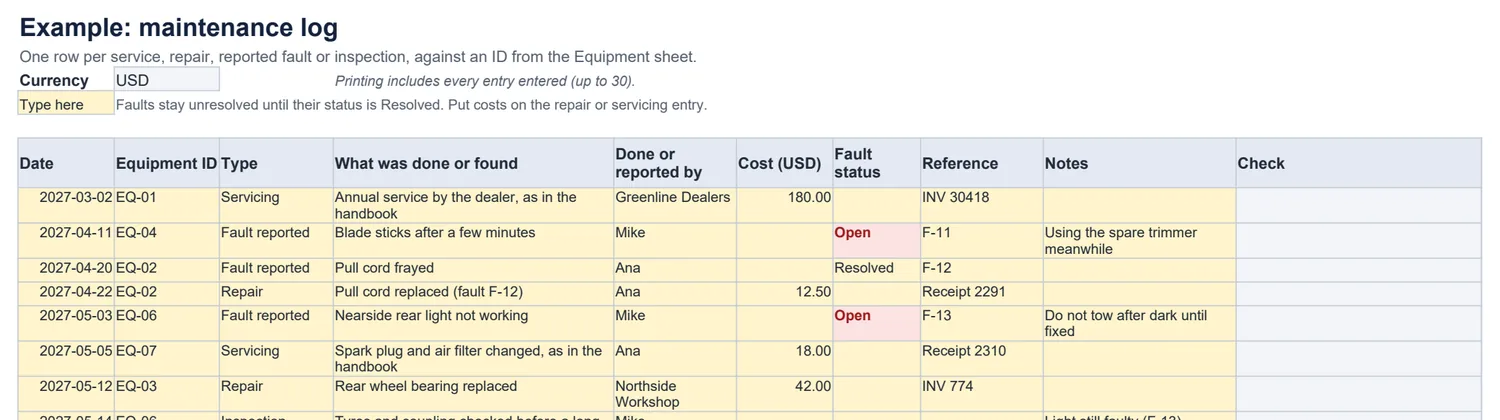
Each log entry has a type — Servicing, Repair, Fault reported or Inspection — and costs are totalled by type for each item and in the summary. A cost entered on a fault is flagged: put it on the repair.

When is a fault resolved?

When you change the fault’s status to Resolved. Logging a repair does not close a fault by itself, so an open fault is never hidden by accident.

What happens if an equipment ID is wrong or used twice?

A duplicate ID on the Equipment sheet is flagged on both rows. A log entry whose ID is not on the Equipment sheet, or is duplicated there, is flagged too. Flagged rows are left out of every total and the summary says how many need checking.

Does the issue-and-return form set charges or liability?

No. It records what was handed over, in what observed condition, and what came back. A blank “received by” line does not show that anything was received, and a name written on it does not settle anything still outstanding.

Which apps do the files work in?

The workbook is a standard .xlsx file with no macros; the form is Word and PDF. We checked them in LibreOffice only, not in Excel, Word, Google Workspace or Apple’s apps.