Free spreadsheet
Staff Training & Competency Matrix
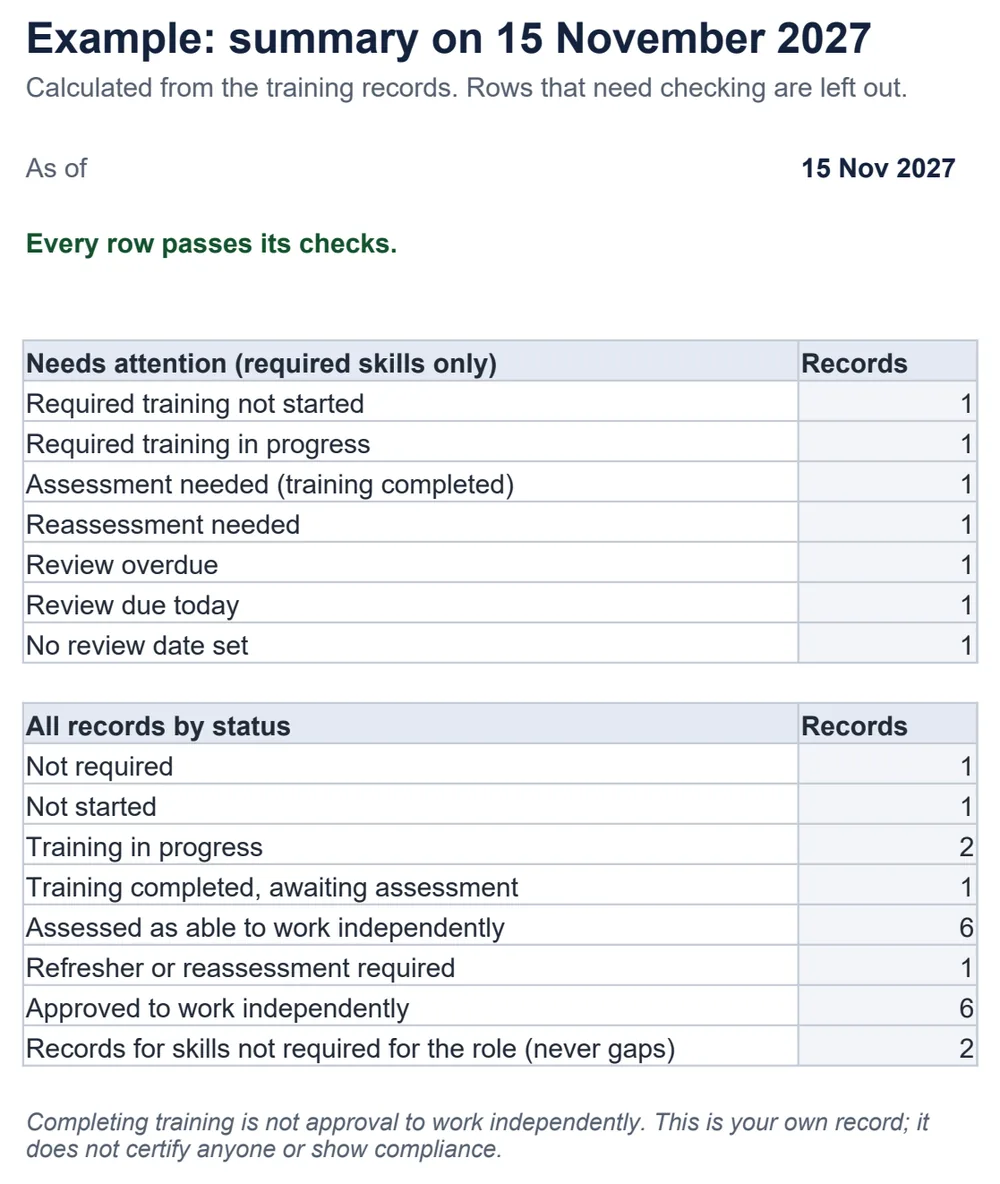
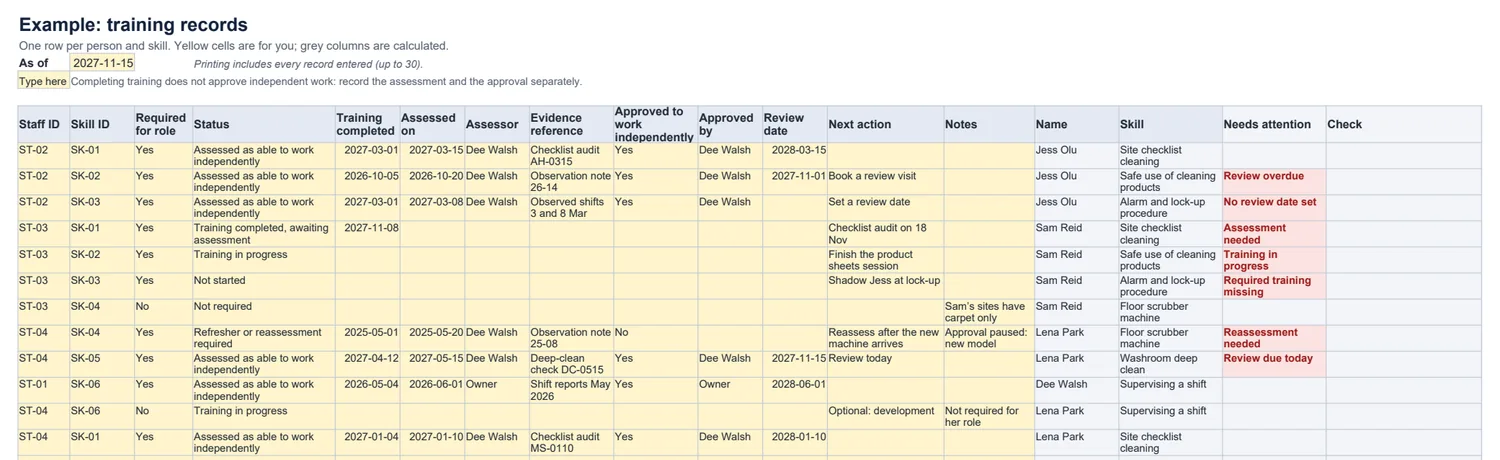
Keep one record of who needs which skill, where their training stands, who assessed them and who is approved to work on their own. The summary shows missing required training, assessments still to do and reviews that are due.
Who still needs training, assessment or a review?
The six statuses
- Not required · Not started · Training in progress · Training completed, awaiting assessment · Assessed as able to work independently · Refresher or reassessment required.
- Attendance is not competence: approval to work independently is a separate, explicit entry that only goes with an assessment.
- Missing dates — training completed, assessment, review — are flagged rather than assumed.
What it does not do
- It does not certify anyone, set training intervals, or show compliance with any regulation.
- It stores no documents: the evidence reference points to wherever you keep observation notes or certificates.
Common questions
Does completing training mark someone as competent?
No. Training completed puts the record in “awaiting assessment”. Someone is approved to work independently only when the status is “Assessed as able to work independently” and you enter Yes in the approval column with who approved it. An approval without that status is flagged.
What happens to skills that are not required for a role?
Mark them No in “Required for role”. They are never counted as gaps, even when training is in progress, so optional development does not inflate the to-do list.
How are review dates set?
You enter them. The workbook does not know any training intervals; it compares the date you chose with the as-of date and shows overdue, due today, or “No review date set” when it is blank.
What if an ID is entered twice?
A duplicated staff or skill ID, an unknown ID, or the same person and skill entered twice is flagged on every affected row and left out of the counts, and the summary says how many rows need checking.
Is this a compliance or certification record?
No. It is your own record of training and assessment. It does not certify anyone or show compliance with any law or standard. Which training is required, and how often, is for you to decide.
Which spreadsheet apps does it work in?
It is a standard .xlsx file with ordinary formulas and no macros. We checked the example and edits — duplicate IDs, missing dates, approvals without an assessment, a changed as-of date — in LibreOffice Calc. It has not been tested in Excel, Google Sheets or Numbers.