Skip to content

Free template

Employee Onboarding & Offboarding Pack

Two internal checklists so starting and leaving do not depend on memory. Get a new team member’s equipment, access, schedule and training ready before day one; when someone leaves, hand over their work and customer promises, get equipment back and confirm every account and key has been removed.

Free download · No account needed

Is someone starting or leaving?

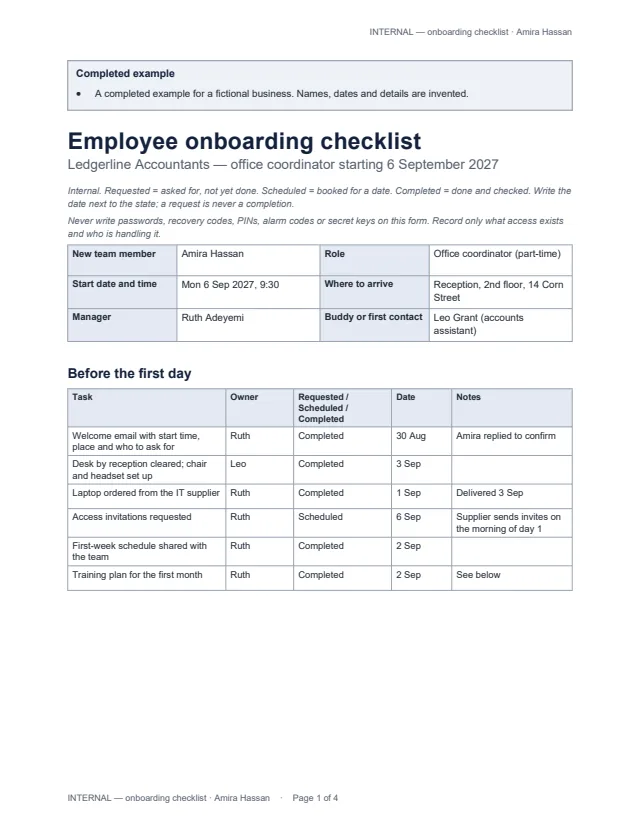
First page of the example onboarding checklist for a new office coordinator Enlarge preview: Onboarding checklist

Onboarding checklist

Start it a week or two before a new team member’s first day.

Preparation before the first day, equipment, access invitations, the first-week schedule, key contacts, responsibilities and training, practical checks, open questions, and manager check-ins at day 1, week 1, week 4 and week 12 — each task with an owner, a state and a date.

Blank, for printing and an example · Word and PDF
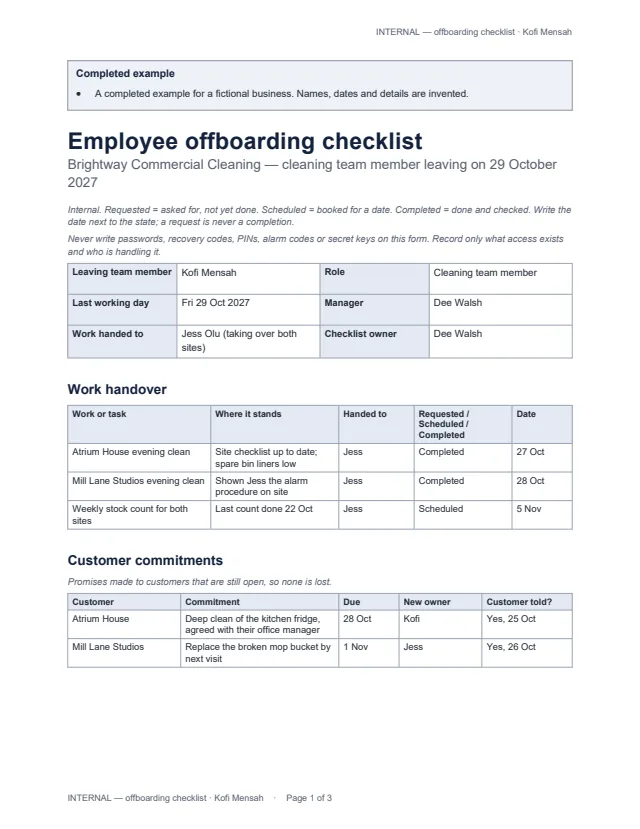
First page of the example offboarding checklist for a cleaning team member who is leaving Enlarge preview: Offboarding checklist

Offboarding checklist

Start it as soon as you know someone is leaving.

Work handover, open customer commitments with a new owner, equipment return, every account, key, card and code with a removal owner, request date, scheduled date and confirmed removal, and admin items with owners.

Blank, for printing and an example · Word and PDF

Get the documents

Choose a document, a version and a format. After the first download, the others need no new form.

Document
Version
Format

You will get employee-onboarding-blank.docx

Word files open in Microsoft Word, Google Docs, Apple Pages and LibreOffice; we checked them in LibreOffice. US Letter, marked INTERNAL on every page; change the paper size for A4. The examples use invented businesses and people.

Built so nothing is assumed done

  • Every task has an owner, a state (Requested, Scheduled or Completed) and a date.
  • Access removal has its own columns: removal owner, requested on, scheduled for, and confirmed removed — date and by whom.
  • Open customer commitments get a new owner, so promises made by someone who is leaving are kept.
  • For equipment that must come back, use the equipment issue-and-return form.

Common questions

What do Requested, Scheduled and Completed mean?

Requested: someone has been asked, and it is not done. Scheduled: it is booked for a date. Completed: it is done and checked. Each task records its state and date, so a request is never mistaken for a finished task.

When is access removal complete?

Only when someone has checked that the access no longer works and written the date and their name in “Confirmed removed”. A removal request, or a scheduled date, is not removal — the example shows an alarm code still waiting to be confirmed.

Should I write passwords on the checklist?

Never. The forms record which systems and keys exist and who is handling them — not passwords, recovery codes, PINs, alarm codes or secret keys. New starters set their own passwords from the invitations they receive.

Does the offboarding checklist handle final pay or legal deadlines?

No. It reminds you to tell payroll and to follow your own records policy, but it does not calculate final pay, set notice or legal deadlines, or delete personal data. Those rules depend on where you operate.

Which apps do the files open in?

Word files open in Microsoft Word, Google Docs, Apple Pages and LibreOffice; the PDFs print as they are. We checked them in LibreOffice only.