Skip to content

Free template

Job Description & Interview Scorecard Pack

Hire against the same clear criteria from advert to decision. Write a job description that tells candidates what the job really involves, agree an internal brief before you advertise, and record interview evidence on a scorecard that asks every candidate about the same job-related things.

Free download · No account needed

Which stage of hiring are you at?

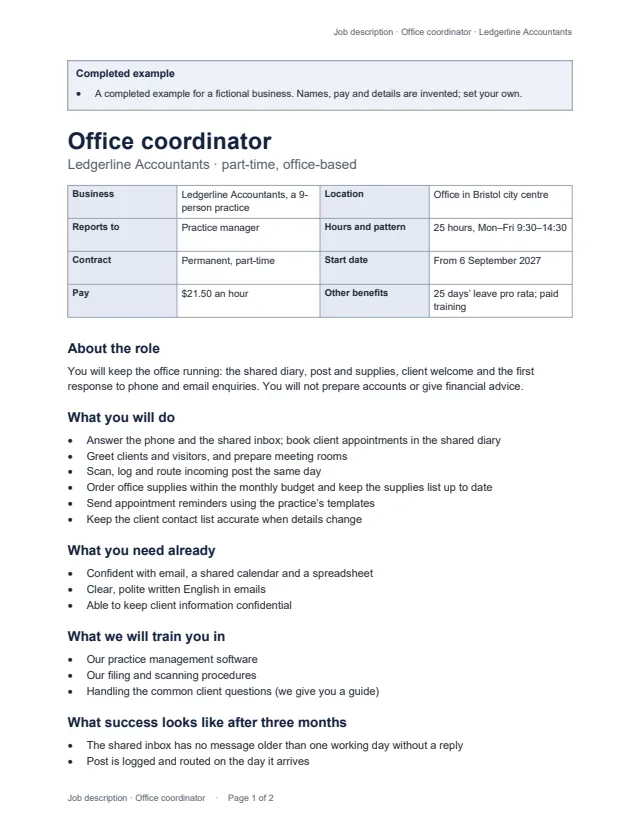
First page of the example job description for a part-time office coordinator Enlarge preview: Job description

Job description

Publish it or send it to candidates.

Business, location, reporting line, hours and pattern, contract, start date, pay and benefits; what the role is for, what you will do, what you need already, what we will train you in, what success looks like after three months, and how to apply. No internal notes.

Blank and 2 examples · Word and PDF
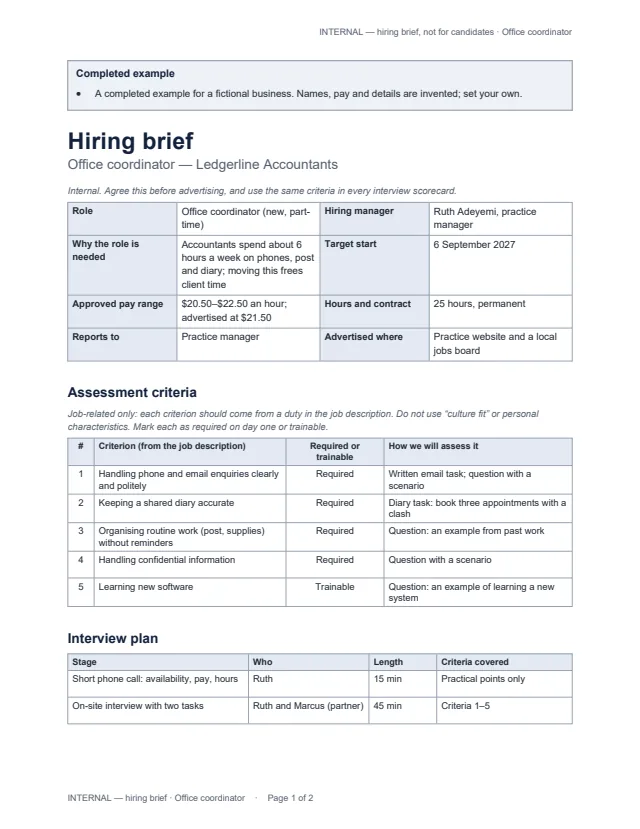
First page of the example hiring brief for the office coordinator role Enlarge preview: Hiring brief (internal)

Hiring brief (internal)

Agree it before you advertise.

Why the role is needed, the approved pay range, target start, the job-related assessment criteria (each marked required on day one or trainable, with how it will be assessed), the interview plan and ground rules. Marked INTERNAL on every page.

Blank and 2 examples · Word and PDF

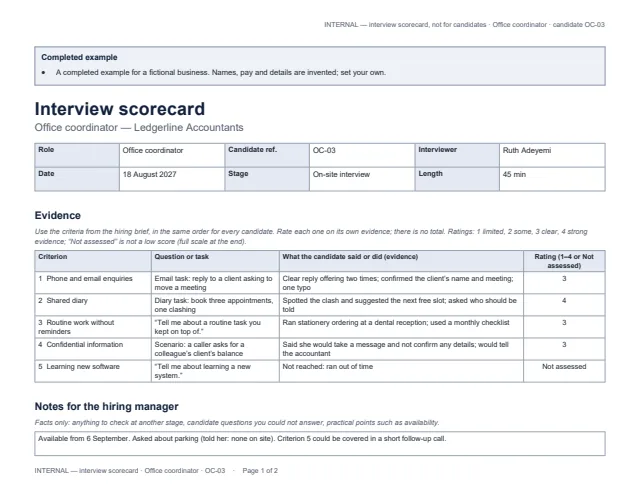
First page of the example interview scorecard with the rating scale Enlarge preview: Interview scorecard (internal)

Interview scorecard (internal)

One per interviewer, per candidate.

The same criteria in the same order for every candidate, the question or task used, what the candidate said or did, and a rating from 1 to 4 — or “Not assessed”, which is not a low score. No totals, ranking or decision. Landscape, marked INTERNAL on every page.

Blank and 2 examples · Word and PDF

Get the documents

Choose a document, a version and a format. After the first download, the others need no new form.

Document
Version
Format

You will get job-description-blank.docx

Word files open in Microsoft Word, Google Docs, Apple Pages and LibreOffice; we checked them in LibreOffice. US Letter; change the paper size for A4. The examples use invented businesses, people and pay — set your own.

Fair, consistent interviews

  • Separate what someone needs on day one from what you will train, so you do not screen out people for skills you teach anyway.
  • Ask every candidate the same core question for each criterion, and write down what they said or did, not impressions.
  • Describe success as things you could see or check after three months, not personality traits.
  • This pack does not give legal advice; employment rules depend on where you operate.

Common questions

Why keep the hiring brief separate from the job description?

The job description is for candidates. Budgets, the approved pay range, interview plans and assessment notes belong in the internal hiring brief and scorecards, so none of it is published by mistake.

What should the interview criteria be?

Things the job actually needs, each traceable to a duty in the job description — for example “keeping a shared diary accurate” or “following a written checklist”. The templates leave out “culture fit” and personal characteristics, and say not to ask about age, family plans, health, religion, nationality or other personal matters unrelated to the work.

What does “Not assessed” mean on the scorecard?

The criterion was not covered in that interview — perhaps it is trained after starting, or there was no time. It is not a low score, and it tells the hiring manager to look for evidence elsewhere.

Does the scorecard pick the best candidate?

No. There is no total and no ranking. The hiring manager reviews the evidence from every interviewer and records the decision and the reasons separately.

Why two examples?

They show how different roles fill the same templates: an office-based coordinator assessed with written and diary tasks, and an evening cleaning role assessed with a short site walk-round, where trainable skills are marked “Not assessed”.

Which apps do the files open in?

Word files open in Microsoft Word, Google Docs, Apple Pages and LibreOffice; the PDFs print as they are. We checked them in LibreOffice only.