Skip to content

Free template

Change Order Template

Record a change to agreed work before you do it: what is added, removed or altered, how the price and dates change, and what the client decided. Download a blank form and a completed example, in Word and PDF.

Free download · No account needed

Download the change order

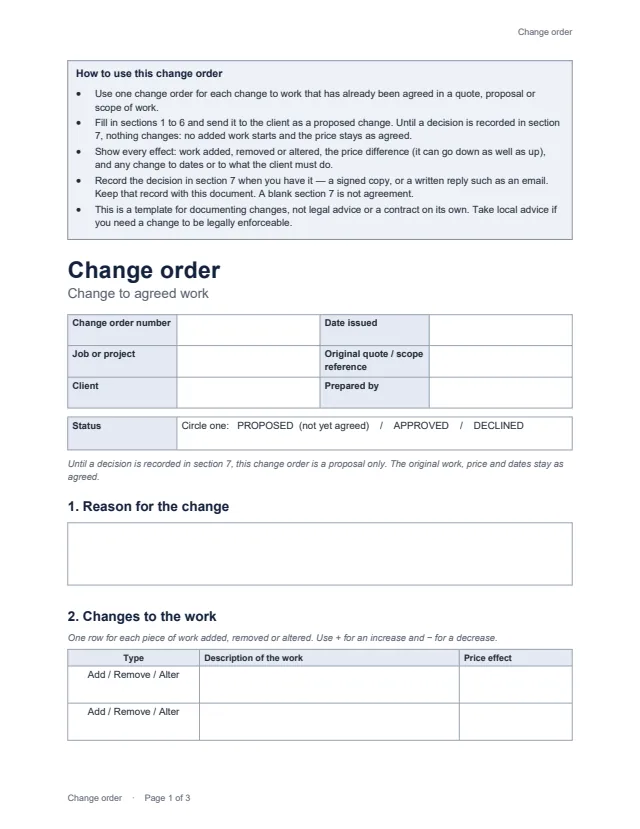
First page of the blank change order: how-to-use notes, reference details, status, reason for the change and the start of the changes table Enlarge preview: Blank change order

Blank change order

Fill it in for each change to agreed work.

Change-order number and date, the original quote or scope reference, a status of proposed, approved or declined, the reason, work added, removed or altered with its price effect, original and revised totals, schedule impact, the client’s responsibilities, and a decision record.

Word or PDF · Word and PDF
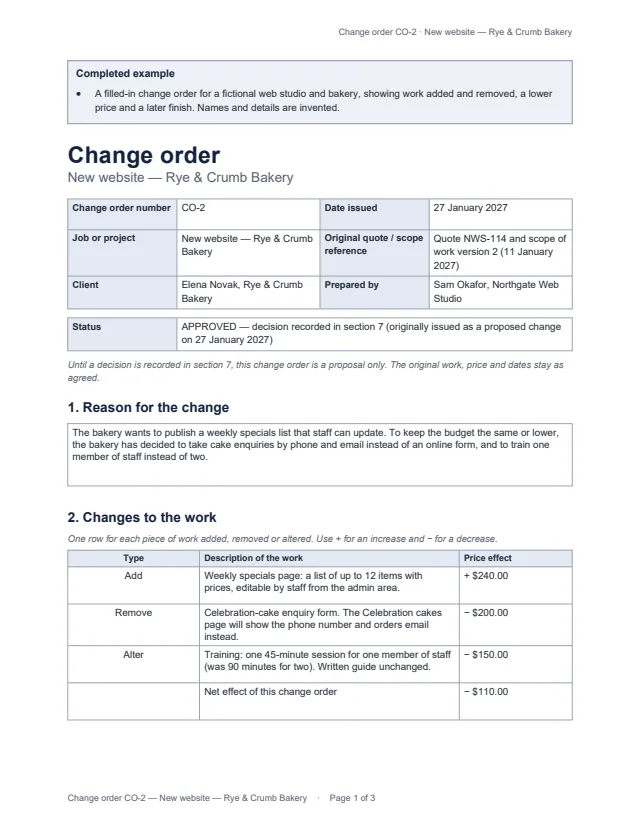
First page of the completed example change order CO-2 for a bakery website, showing work added, removed and altered and a net change of minus $110.00 Enlarge preview: Completed example

Completed example

See how a finished change order reads.

A web studio adds a weekly specials page for a bakery, removes an enquiry form and shortens training: a net price reduction of $110.00, a revised total of $3,040.00, a finish three working days later, and the client’s approval recorded from an email.

Word or PDF · Word and PDF

Get the documents

Choose a document, a version and a format. After the first download, the others need no new form.

Document
Format

You will get change-order-blank.docx

Word files open in Microsoft Word, Google Docs, Apple Pages and LibreOffice. Both are US Letter; change the paper size in your editor for A4. The PDF is for printing and filling in by hand. The example uses an invented business and client.

How to use it

  1. Propose: fill in sections 1 to 6, mark the status proposed and send it to the client. Don’t start added work yet.
  2. Show every effect: each piece of work added, removed or altered with its price effect, the totals you know, any change to dates, and anything new the client must provide.
  3. Record the decision: when the client approves, approves with changes or declines, fill in section 7 and keep the signed copy or written reply with the change order. Then update the status.

Working out the revised total

Net effect = added work − removed work ± altered workRevised total = original total + earlier approved changes + net effect

In the example: +$240.00 − $200.00 − $150.00 = −$110.00, so $3,000.00 + $150.00 − $110.00 = $3,040.00. If you don’t know the original total, the net effect on its own still shows the change.

Proposed is not approved

  • A change order you have sent is a proposal. The original work, price and dates stand until a decision is recorded.
  • An empty decision record, or a signature line left blank, is not evidence that the client agreed.
  • Record declined changes too, so everyone knows the original scope still applies.
  • The template doesn’t create an electronic signature and isn’t legal advice. Your original agreement may set out how changes must be approved.

Common questions

What is a change order?

A written record of a change to work that was already agreed in a quote, proposal or scope of work: what is added, removed or altered, how the price and dates change, and whether the client approved it. Some trades call it a variation.

Is a change order always an extra charge?

No. Removing or reducing work lowers the price, and a change can be price-neutral. The template shows each line with + or −, and the net effect can be negative. The completed example reduces the total by $110.00.

When is a change approved?

When the client has given a decision and you have recorded it in the decision record, with the signed copy or written reply that shows it. Until then the change order is a proposal only and the original work, price and dates stand. A blank decision record is not agreement.

Does signing this make the change legally binding?

It depends on your original agreement and local law. The template documents the change and the decision; it is not legal advice or a contract on its own. If enforceability matters, check your contract’s change terms or take local advice.

Can the client approve by email?

Many businesses accept a clear written reply. The decision record has a line for how the decision was given, so note the email’s sender and date and keep it with the change order. Check whether your original agreement asks for a signature.