Free spreadsheet
Project Timeline & Milestone Planner
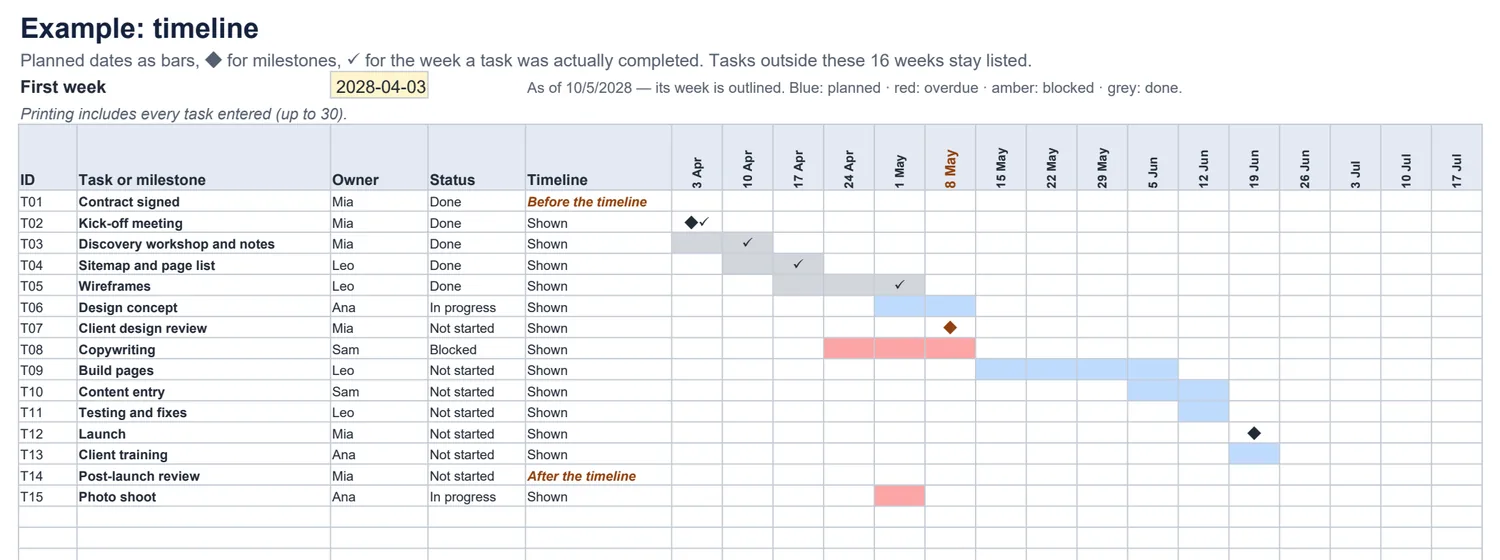
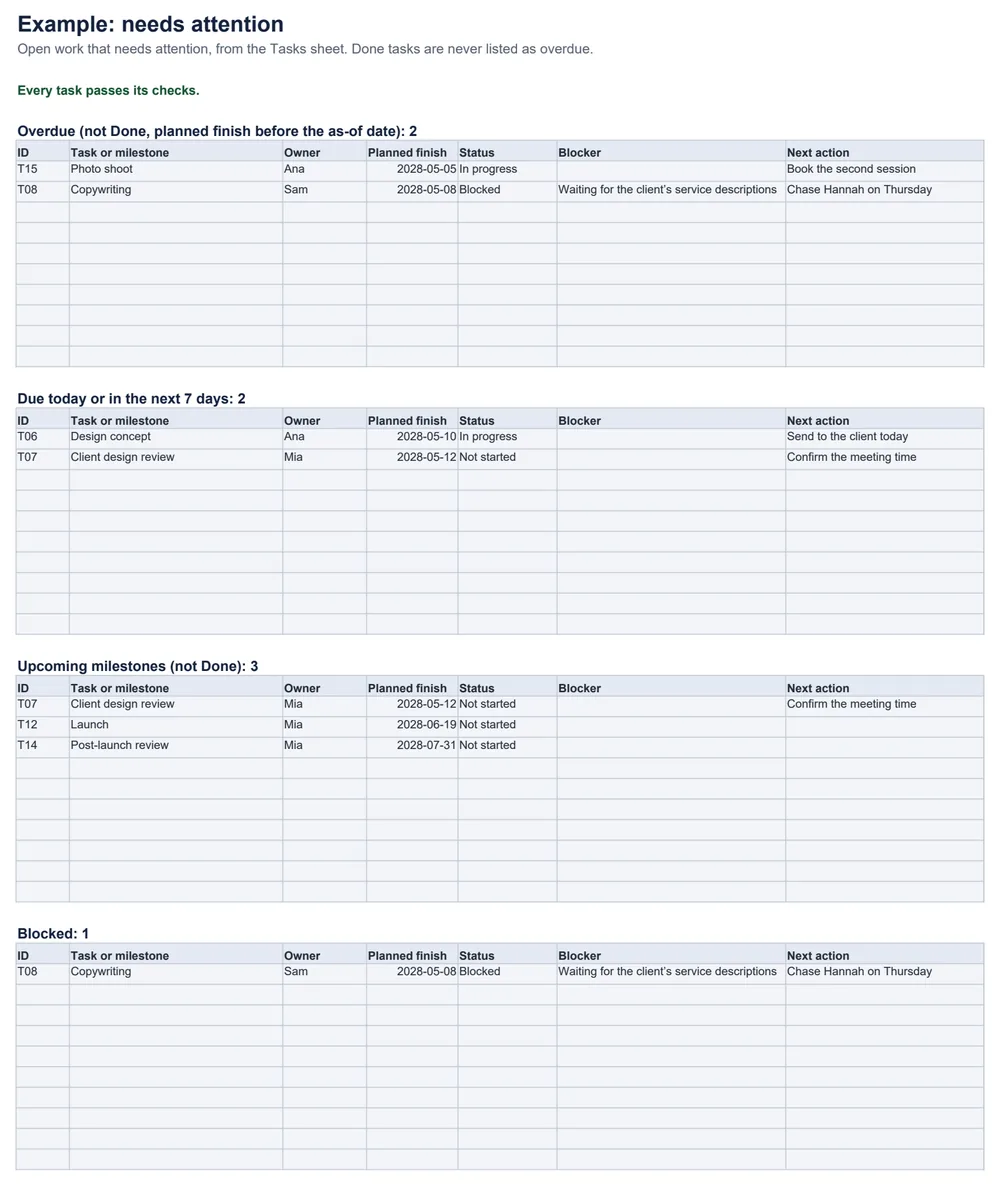
Plan a client project on one sheet and see it as a weekly timeline. The workbook lists what is overdue, what is due today or this week, which milestones are coming up and what is blocked — and keeps the original plan next to what actually happened.
What is overdue, due soon or blocked on this project?
The rules
- Overdue = not Done and planned finish before the as-of date. Finishing on the as-of date is due today.
- Problems — a finish before the start, missing dates, Done without a completion date — are flagged and left out of the lists.
- Calendar days only; no dependencies or resource planning.
Common questions
When is a task overdue?
When it is not Done and its planned finish is before the as-of date at the top of the Tasks sheet. A task finishing on the as-of date is “Due today”, not overdue. Done tasks are never overdue, even if they finished late.
How do I record a milestone?
Mark it as a milestone and give it one date — the planned finish. The start can be left blank. It shows as ◆ on the timeline and in the upcoming-milestones list.
What happens to my original plan when a task finishes late?
Nothing: planned dates are never overwritten. Enter the actual completion date in its own column; the timeline shows it as ✓ in the week it happened, next to the planned bar.
What about tasks outside the timeline?
They stay listed on the timeline with an empty row of weeks and the label “Before the timeline”, “After the timeline” or “Partly outside”, and they still appear in the attention lists. Move the first week to see them.
Does it move tasks when one slips?
No. It uses simple calendar days with no dependencies, resource levelling or automatic rescheduling. Change the dates yourself.
Which spreadsheet apps does it work in?
It is a standard .xlsx file with no macros. We checked the example and edits — finishes before starts, missing dates, a changed as-of date, completed tasks — in LibreOffice Calc. It has not been tested in Excel, Google Sheets or Numbers.