Free spreadsheet
Sales Enquiry & Follow-up Tracker
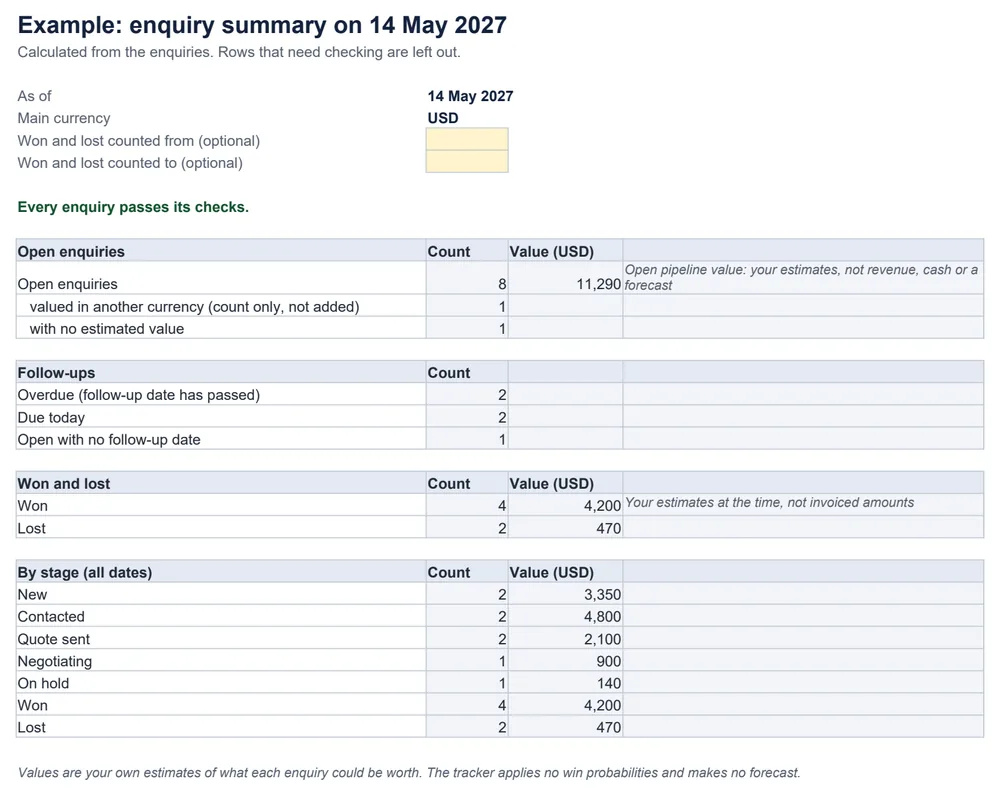
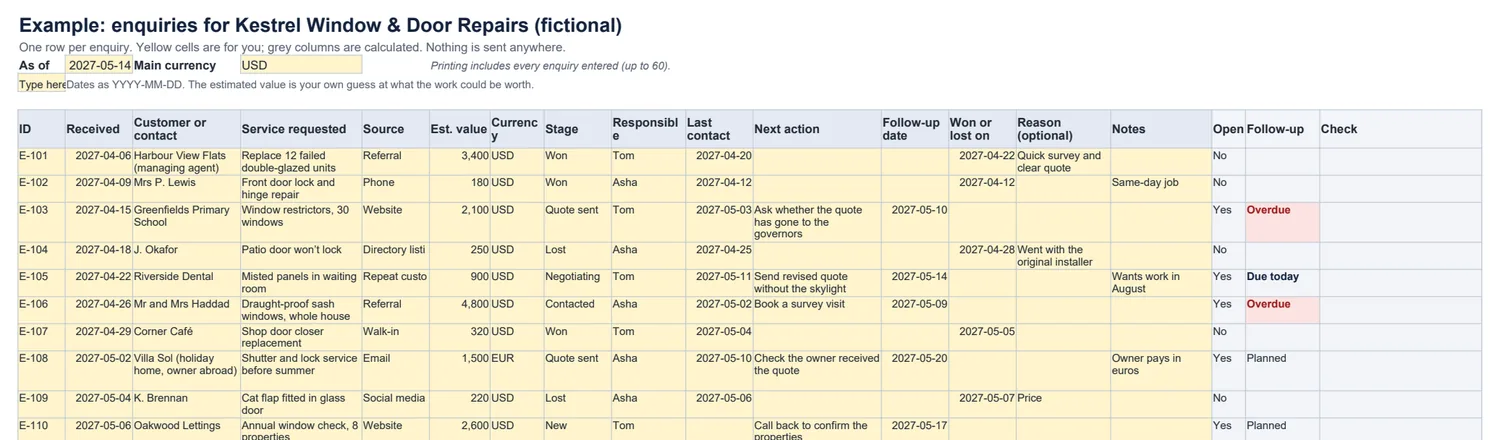
A simple list for keeping track of enquiries without a CRM. Record who asked for what and where each enquiry stands, and the workbook shows which follow-ups are due or overdue, what you won and lost, and the estimated value of what is still open.
Which enquiries need a follow-up today?
How it works
- Open means any stage except Won and Lost; On hold is still open.
- Overdue means the follow-up date is before the as-of date; due today means it is the as-of date.
- Problems — a duplicate ID, a won enquiry with no date, dates out of order, a value with no currency — are flagged and left out, and the summary says it is incomplete.
What it does not do
- It does not estimate how likely an enquiry is to be won, or forecast sales.
- It does not send messages; write the follow-up with the quote follow-up templates.
- It is a list, not a CRM: no contacts database, no uploads, no integrations.
Common questions
Is the open pipeline value the same as expected revenue?
No. It is the total of your own estimates for enquiries that are still open. Some will be won, some lost, some changed. It is not revenue, not cash and not a forecast, and the tracker applies no win probabilities to it.
How does it decide a follow-up is overdue?
For each open enquiry it compares the follow-up date with the as-of date at the top, which starts as today. Before it: overdue. The same day: due today. Open enquiries with no follow-up date are counted too, so none are forgotten.
Can I use more than one currency?
Each enquiry has a currency, but totals use your main currency only. An enquiry valued in another currency is counted, and its value is not added in.
Does it send reminders or connect to a CRM?
No. Everything stays in the file on your computer: no uploads, no integrations and no automatic messages. For the follow-up message itself, use the quote follow-up templates.
Which spreadsheet apps does it work in?
It is a standard .xlsx file with ordinary formulas and no macros. We checked the example and edits such as duplicates, missing dates and a changed as-of date in LibreOffice Calc. It has not been tested in Excel, Google Sheets or Numbers.