Free spreadsheet
Staff Leave Tracker
Keep track of leave for a small team: requests with their status, each person’s allowance used, reserved and remaining as of a date you choose, and a month calendar of who is away. You set the allowances and working patterns; the workbook counts the days and flags mistakes.
Who is away, and how much leave is left?
How the example adds up
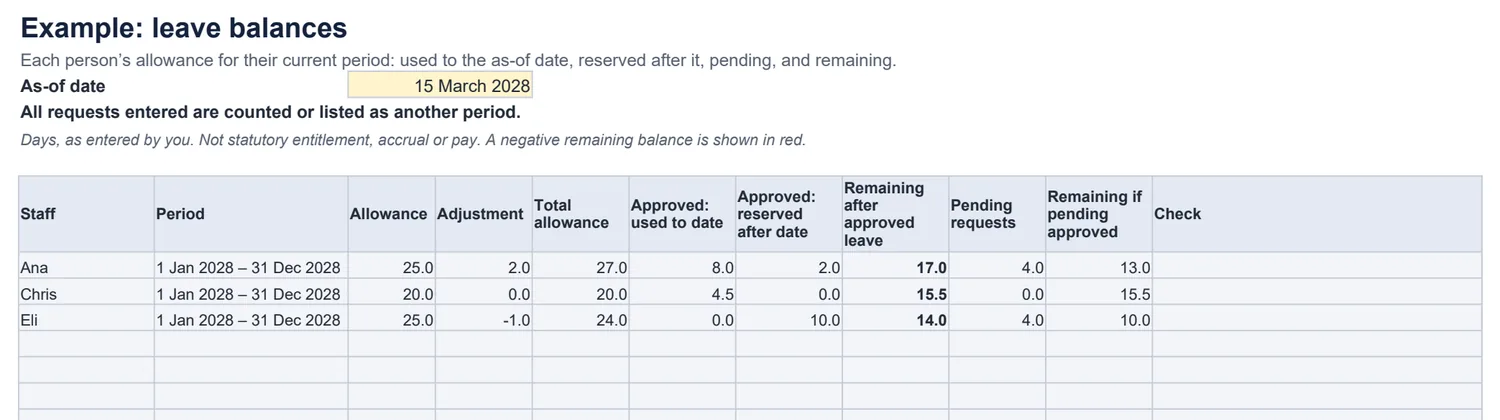
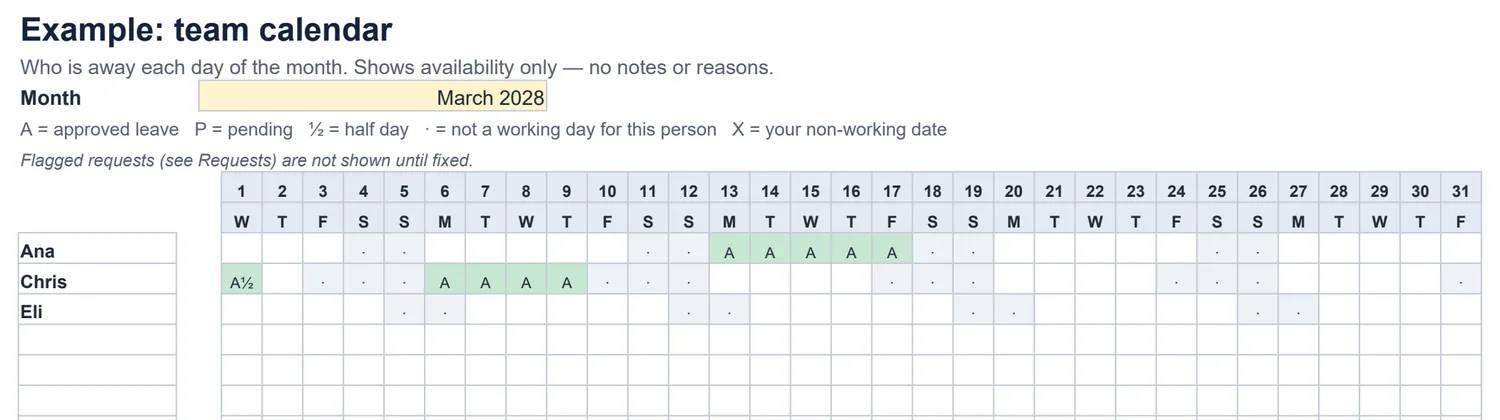
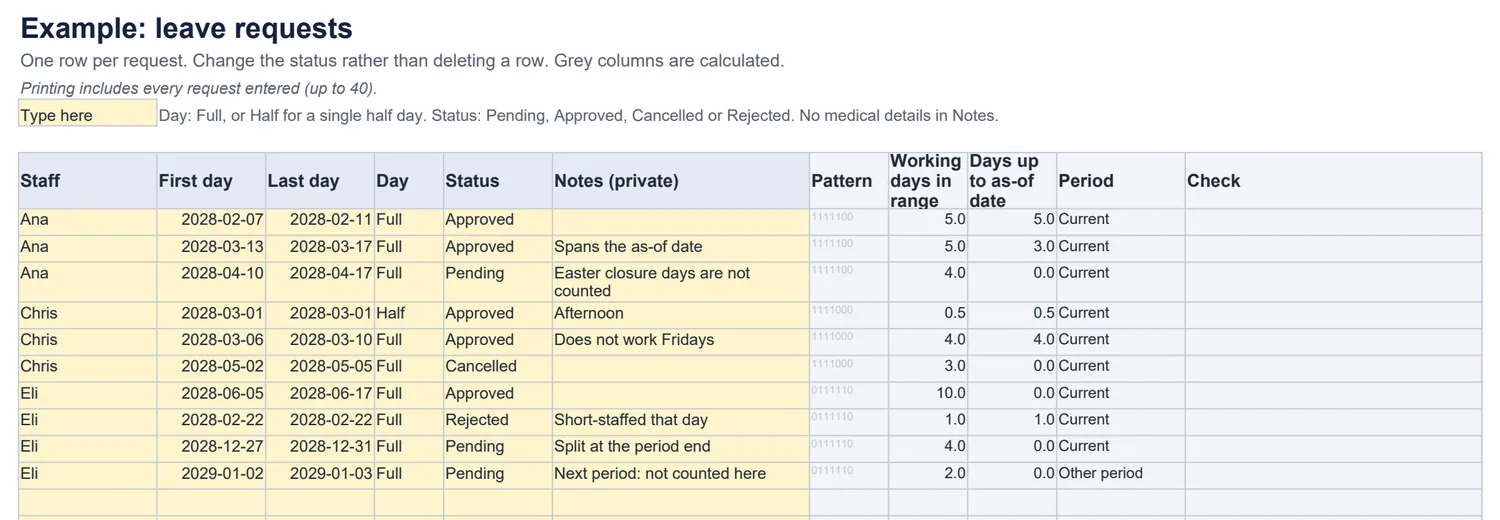
Ana works Monday to Friday with 25 days plus 2 carried over. She took 5 days in February and is part-way through a week off on 15 March: 3 days used so far, 2 reserved. That leaves 17. Her pending request for 10–17 April counts 4 days, because the Easter closure days are not leave.
Chris works Monday to Thursday, so a Monday-to-Friday week off counts 4 days, and a cancelled request counts nothing. Eli’s late-December leave is split at the end of the leave year into two requests.
Common questions
Does it work out how much leave staff are entitled to?
No. You enter each person’s allowance for the period, and any adjustment with a note — for example days carried over. The workbook does not calculate statutory entitlement, accrual, pro-rating or pay; check those against the rules that apply to you.
How are days counted?
A request counts the person’s working days from the first to the last day, inclusive: days they do not normally work and your listed non-working dates (such as public holidays or a closure week) are left out. A half day counts 0.5 and must be a single day.
What is the difference between used, reserved and pending?
Approved leave up to and including the as-of date is used; approved leave after it is reserved. Both come off the remaining allowance. Pending requests are shown separately and use nothing until you approve them. Cancelled and rejected requests count nothing.
What if leave crosses into the next leave year?
A request must sit inside the person’s allowance period. Leave that crosses the end of the period is flagged, so you enter the days in each period as separate requests. Requests entirely in another period are listed as “Other period” and not counted.
What does it check?
Unknown people, missing or reversed dates, half days spread over several days, ranges with no working days, unknown statuses, and overlapping or duplicate requests for the same person. Flagged requests are left out, and that person’s balance says it is incomplete rather than looking complete. A negative remaining balance stays visible.
Can I share the calendar with the team?
Yes. The team calendar shows only who is away, pending or not working each day — never the Notes column. Do not record medical details or reasons for absence in the workbook.
Which spreadsheet apps does it work in?
It is a standard .xlsx file with no macros. We checked the example, the counting rules, the checks and adding rows as instructed in LibreOffice Calc. It has not been tested in Excel, Google Sheets or Numbers.